
Designing an AI Compliance Tool at Scale

Overview

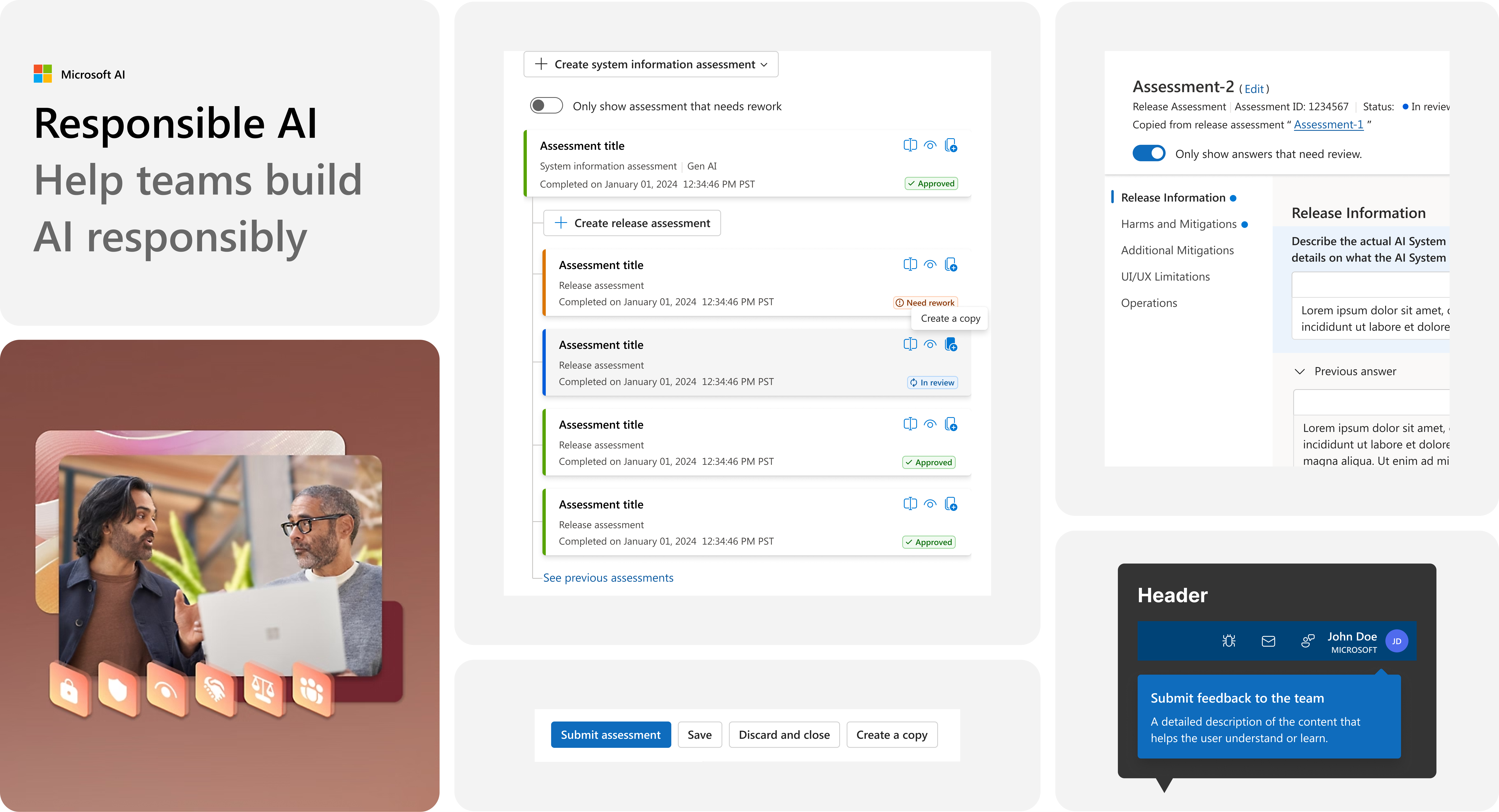
One Responsible AI is Microsoft's compliance tool used by all engineering departments to ensure AI products meet standards for safety, governance, and compliance.

As the lead product designer, I partnered with PMs, SWEs, and UXR to streamline complex AI compliance workflows and Improve overall product quality, while establishing structure for better UX process and cross-team alignment.

Year

2024 - 2025 at Microsoft

Role

UX/UI Design, Research

Measured Impact

  • Achieved 100% adoption in the new features
  • Reduced compliance review time by 40%
  • Reduced AI development time by 50%

Designing for Responsible AI at Scale

Year

2024 - 2025

My role

Lead Designer

Team

Research, Engineer, PM

What's been done

Microsoft’s Responsible AI platform helps product teams ensure their AI models meet company-wide compliance and governance standards.

I led design efforts to evolve the MVP by translating complex AI compliance process into clear, actionable UI. This included introducing key features and building a structured UX process to improve usability, scale, and alignment across teams.

Impacts

  • Established a structured UX process to guide design-to-dev delivery
  • Achieved 100% feature adoption and 90% user acceptance
  • Reduced AI development time by 50% through simplified compliance workflows

Challenge

A compliance tool struggling to keep up with AI's rapid growth.

The compliance process was already complex, involving multiple tools, lengthy steps, and cross-team coordination for reviews. As AI standards evolved and system complexity increased, both users and the business faced mounting challenges.

It became critical to create a unified, intuitive experience that reduced fragmentation and improved end-to-end clarity.

User Feedback

Users want faster ways to register, submit, review, and manage

There were two main pain points: Users are spending too much time on compliance documents (creation, review, etc) and there are too many documents to manage, adding cognitive load on top of engineers works.

Goal

Design a platform that scales with growing compliance needs, while staying efficient and reliable for user

Key features

Here are examples of features I designed to improve the compliance experience.

Feature 01

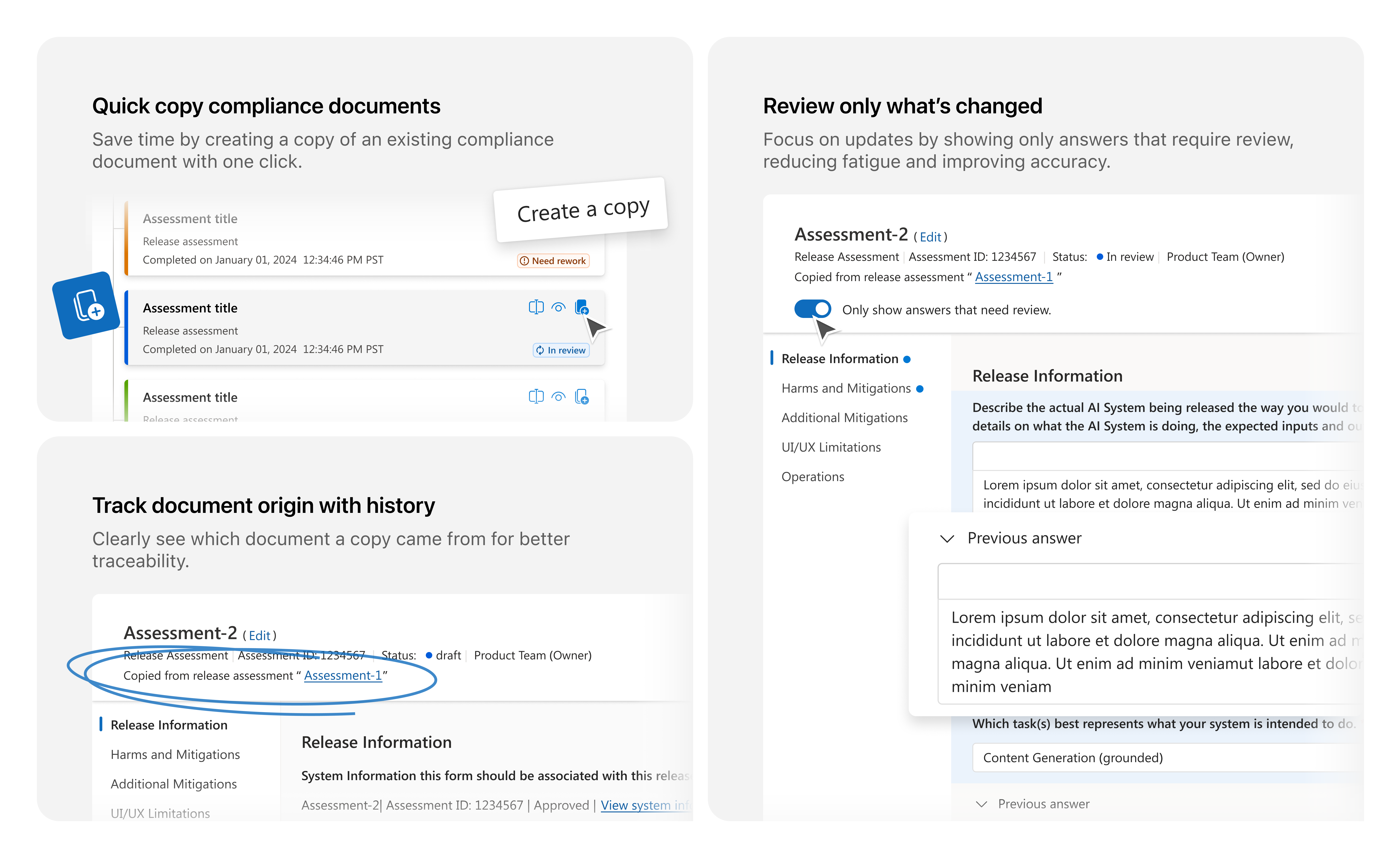
Quick Copy: Create & review documents faster

Users are required to create documents for each AI release, which is time-consuming and error-prone, especially when much of the information is the same as previous submissions. This led to wasted time, inconsistencies, and made it hard for reviewers to track what had changed between versions.

Solution: I designed the Quick Copy feature, allowing users to duplicate prior documents and review only what's changed. This reduced redundant entry, minimized errors, and eased reviewer fatigue.
Scope & Planning

  • Defined primary user types and mapped common use scenarios
  • Audited current workflows for creating and reviewing compliance documentation

design process

  • Identified the optimal interaction point for Quick Copy within the existing UI
  • Collected feedback from the UX team to validate flow and usability

design Delivery

  • Shipped within ~2 weeks with PM alignment and internal feedback loop
  • Created detailed design specs for engineering
  • QA with PMs and engineers to ensure design & content accuracy
  • Supported bug bash and final design polish

Review Changes quickly

Reviewers can easily spot what’s changed in duplicated documents, streamlining the review process and reducing oversight

Create a Copy

Users can now duplicate existing documents with one click, reducing manual work and saving compliance time

Slide leftSlide left
Slide rightSlide right

Feature 02

Document Bundles: Simplifying Review of Related Compliance Docs

Problem: As the number of compliance documents grew, reviewers struggled to manage and review them efficiently. There was no easy way to group related files, leading to fragmented review experiences and slower submission cycles.

Solution: I designed the Document Bundles feature, allowing users to package related files into a single, trackable group. This provided reviewers with a consolidated view, reduced review time, and simplified submission management.
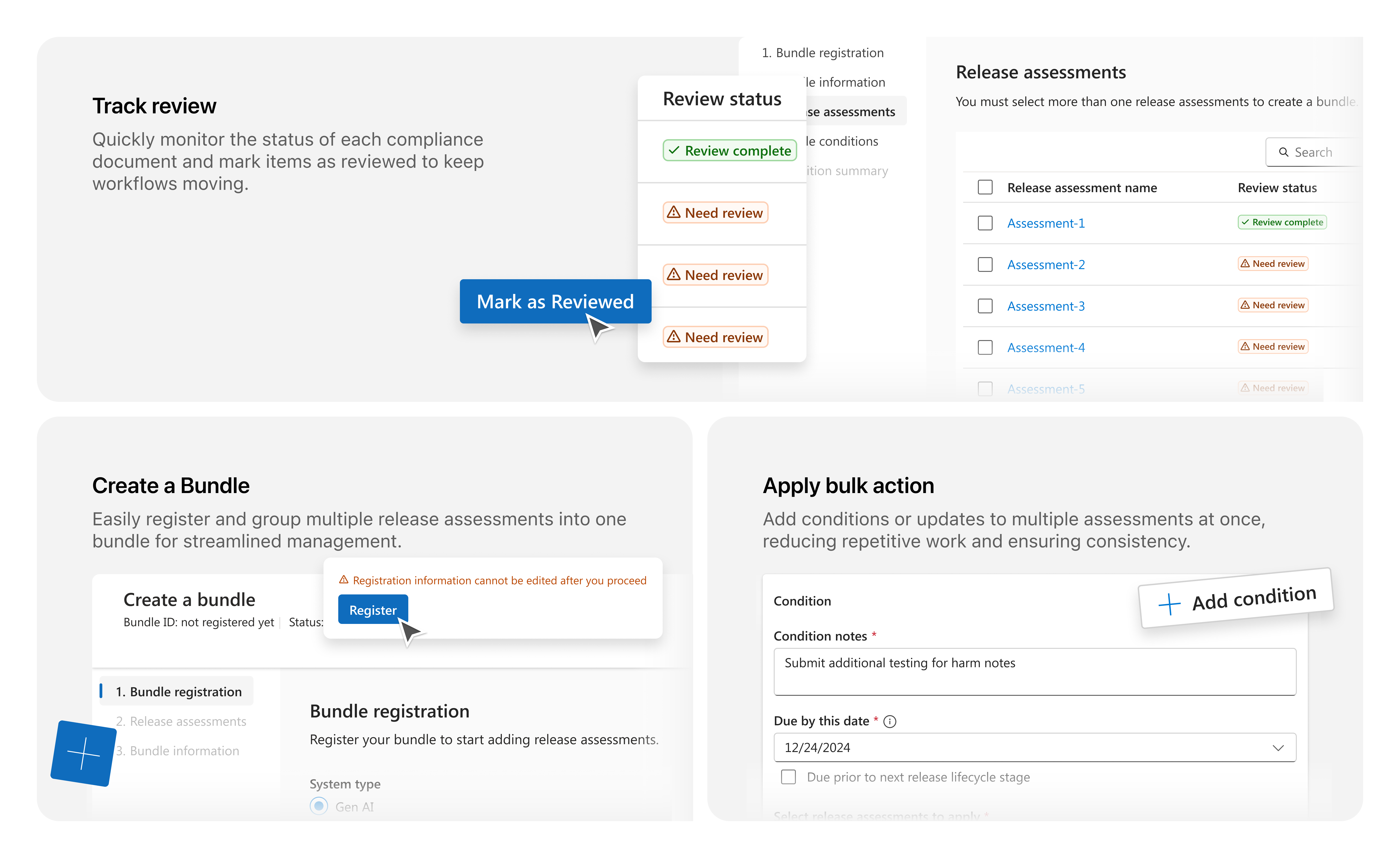
Impact: Enabled faster, more focused reviews & Improved traceability across multi-model submissions.

Create a Bundle

Users can now group multiple documents into a single bundle, making it easier to manage and submit related files together.

Review Changes quickly

Reviewers can easily spot what’s changed in duplicated documents, streamlining the review process and reducing oversight

Bulk Action

Reviewers can apply actions to all documents in a bundle at once, reducing repetitive manual steps.

Slide leftSlide left
Slide rightSlide right

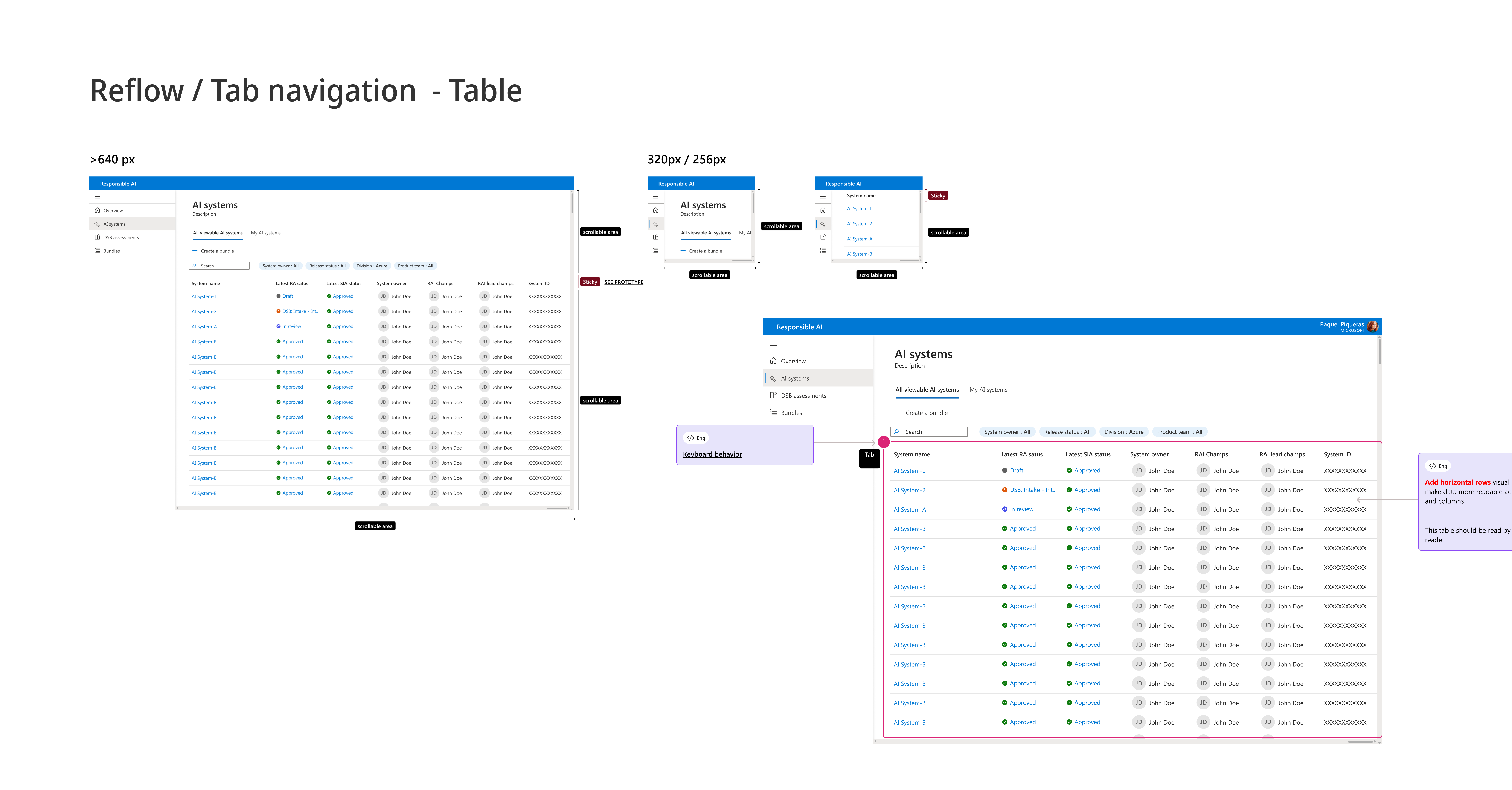
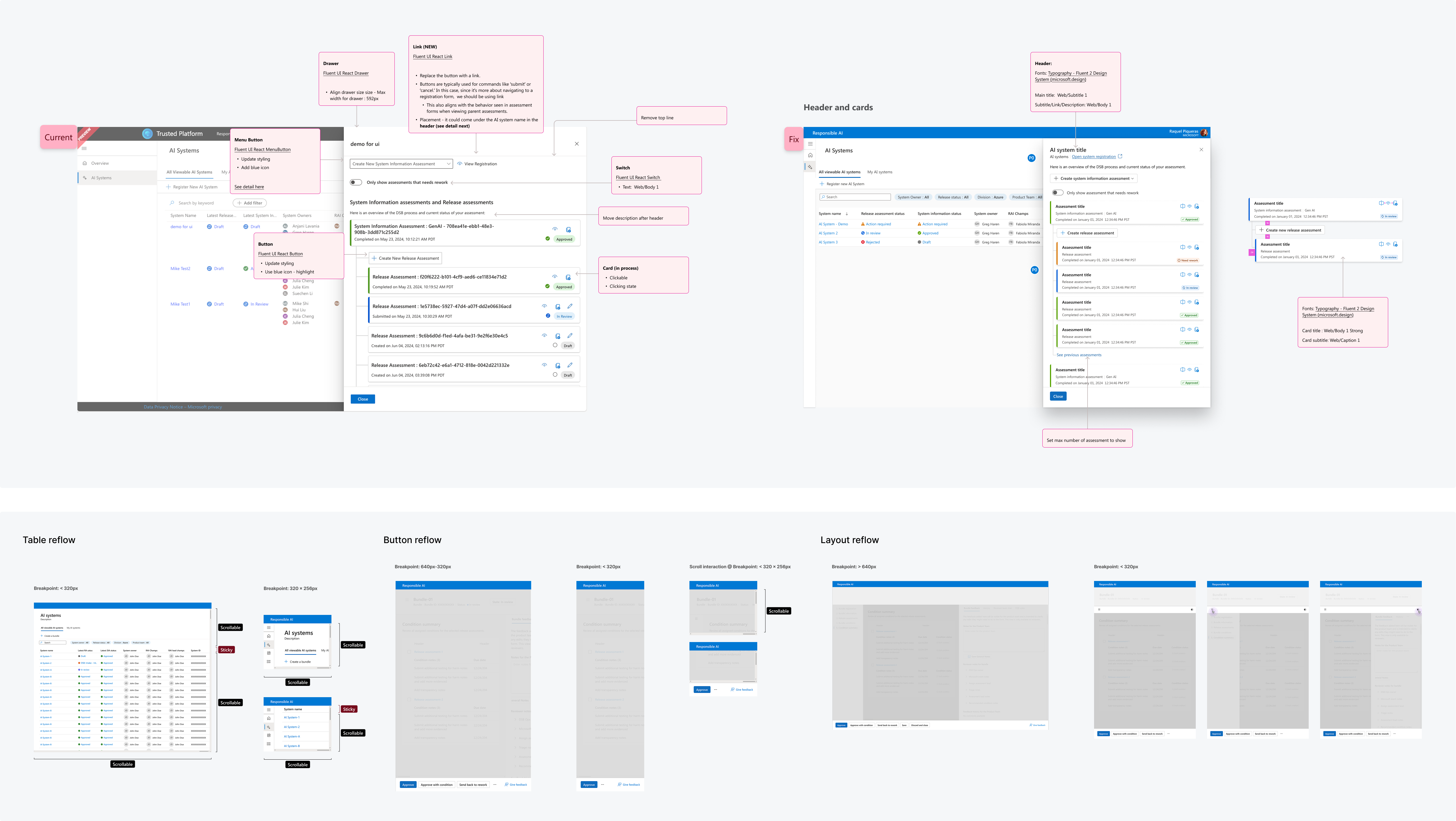
Raising Quality

Identifying opportunities to make the product more reliable and accessible

Beyond designing key features, I identified opportunities to elevate overall product quality. This includes enhancing usability, improving the UX process, and strengthening accessibility to ensure a more reliable and inclusive experience.

Scope & Planning

  • Defined primary user types and mapped common use scenarios
  • Audited current workflows for creating and reviewing compliance documentation

design process

  • Identified the optimal interaction point for Quick Copy within the existing UI
  • Collected feedback from the UX team to validate flow and usability

design Delivery

  • Shipped within ~2 weeks with PM alignment and internal feedback loop
  • Created detailed design specs for engineering
  • QA with PMs and engineers to ensure design & content accuracy
  • Supported bug bash and final design polish

04

Lightweight design system

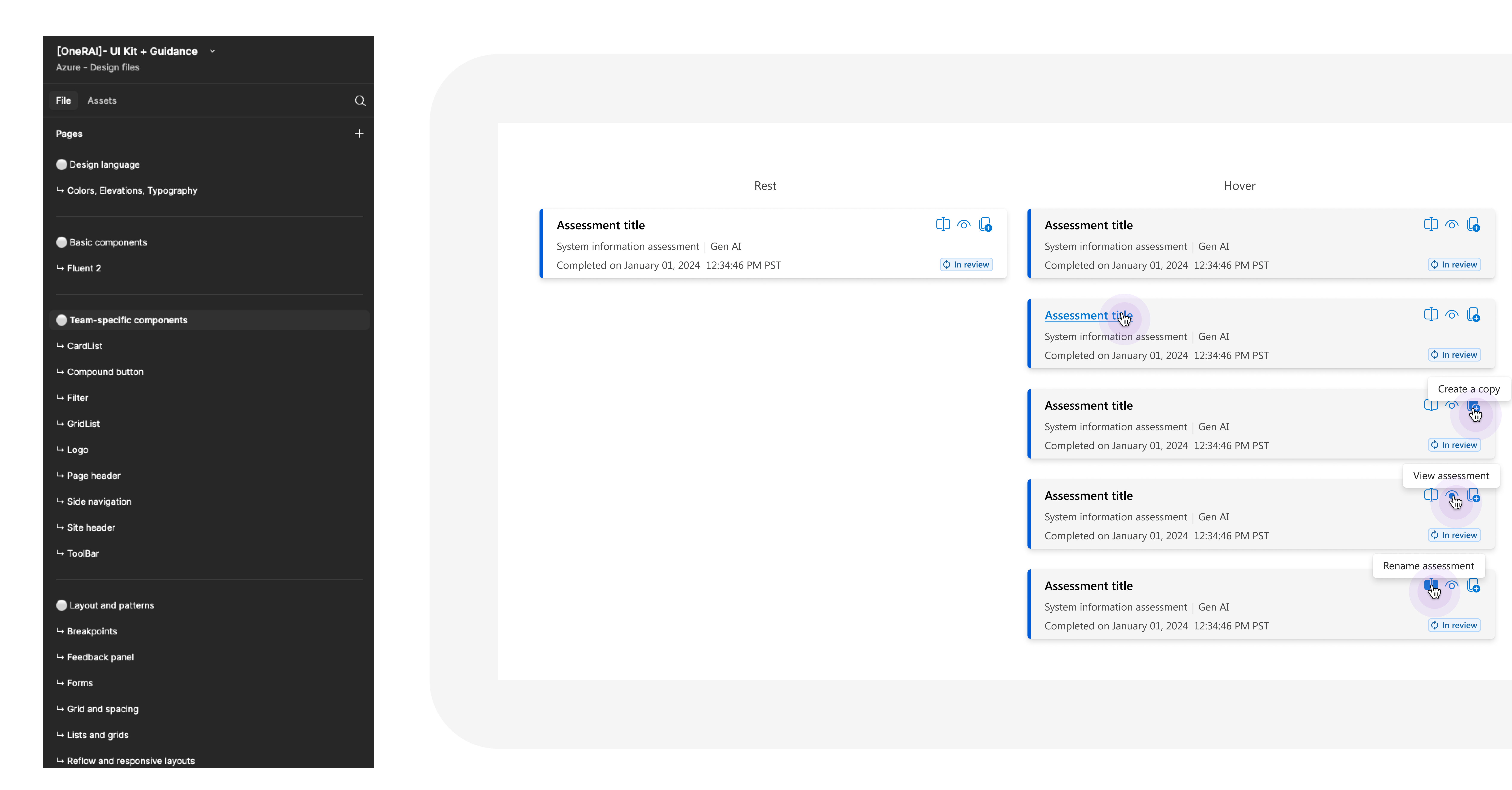
Created a foundational design system structure to enable faster iteration and maintain a consistent UX across features.

Outcome: Established groundwork for a scalable design system, improved design efficiency, and supported faster onboarding.
UX Quality

Raising quality to make the product reliable and accessible

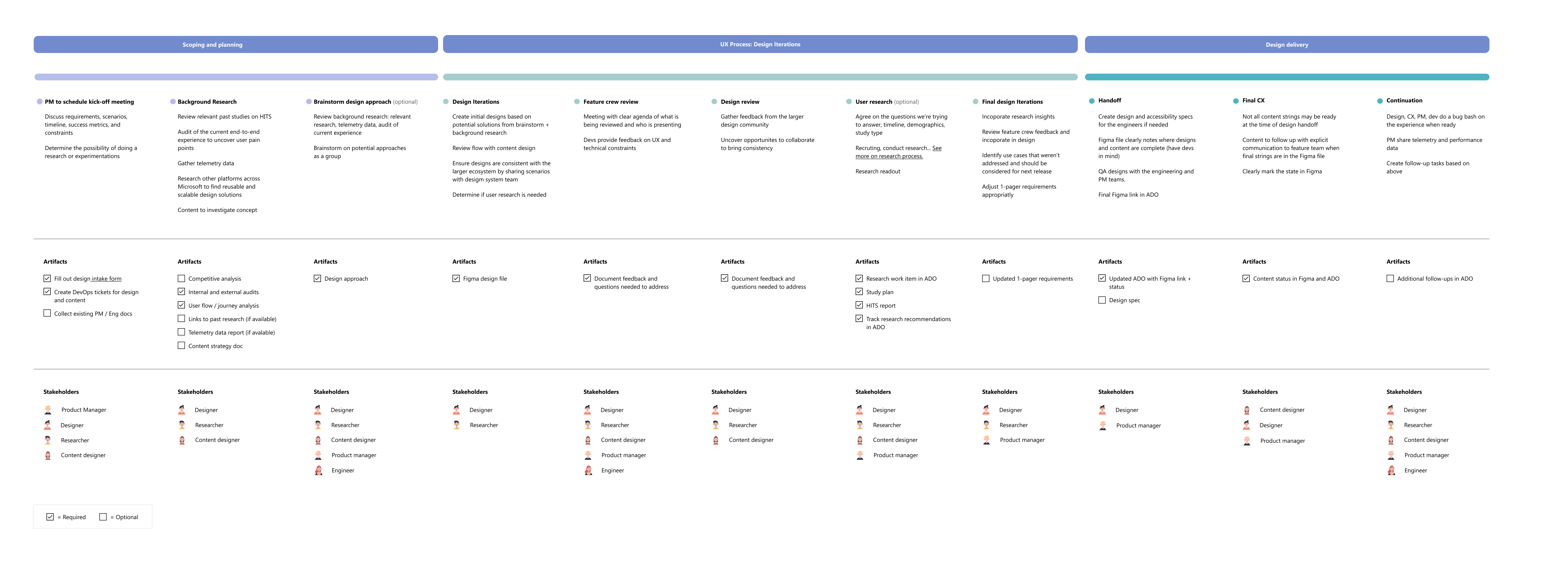
To manage the tool’s growing complexity, I started by establishing a solid UX framework.

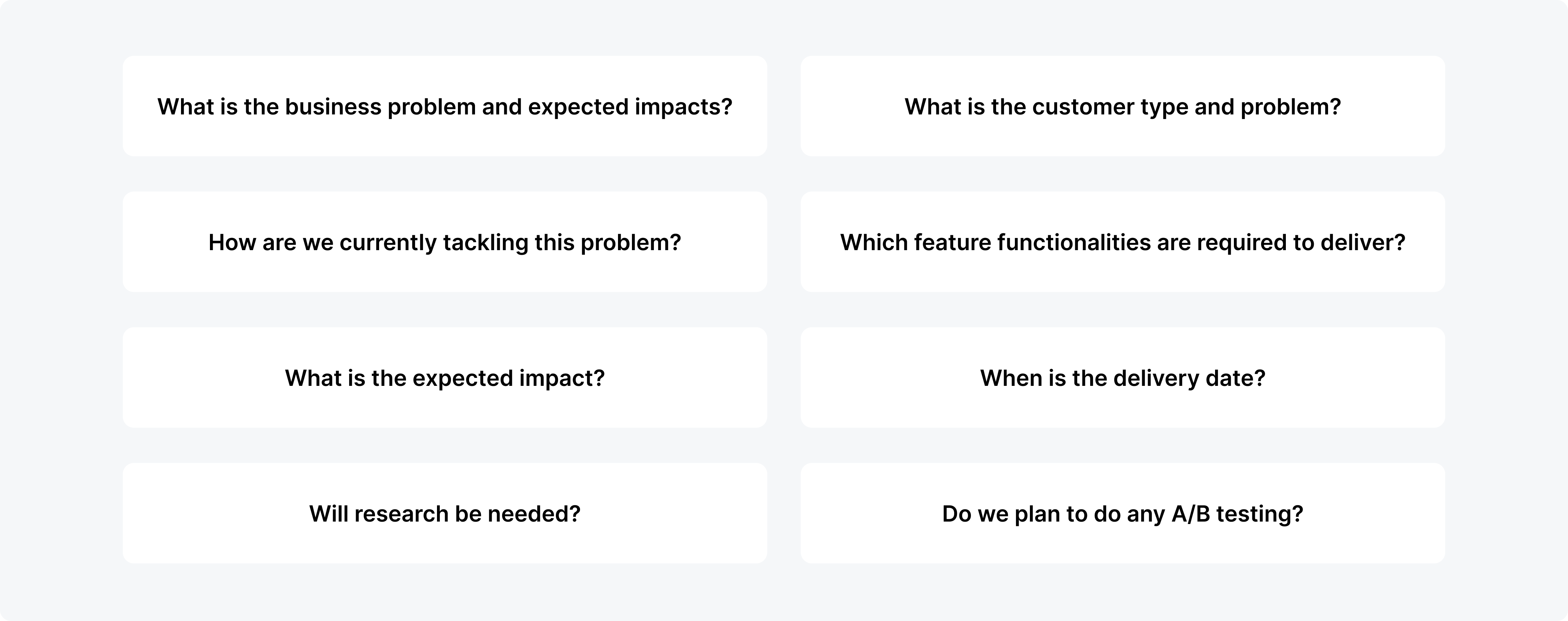
Each feature in the Responsible AI tool varied in complexity, urgency, and stakeholder input. To deliver quickly without sacrificing usability, I created a framework that could flex based on the problem at hand.

This structure streamlined how we scoped, designed, and delivered features, ensuring a consistent user experience while enabling cross-functional teams to collaborate effectively at scale.

Scope & Planning

Design Process

Design Delivery

UX Process

A flexible UX framework to bring clarity, consistency, and speed across evolving features.

To manage the tool’s growing complexity, I started by establishing a solid UX framework.

Each feature in the Responsible AI tool varied in complexity, urgency, and stakeholder input. To deliver quickly without sacrificing usability, I created a framework that could flex based on the problem at hand.

This structure streamlined how we scoped, designed, and delivered features, ensuring a consistent user experience while enabling cross-functional teams to collaborate effectively at scale.

Scope & Planning

Design Process

Design Delivery

Improving the UX process

To improve the  I introduced three core practices adopted across the team:

Scope & Planning

  • Defined primary user types and mapped common use scenarios
  • Audited current workflows for creating and reviewing compliance documentation

Design Process

  • Identified the optimal interaction point for Quick Copy within the existing UI
  • Collected feedback from the UX team to validate flow and usability

Design Delivery

  • Shipped within ~2 weeks with PM alignment and internal feedback loop
  • Created detailed design specs for engineering
  • QA with PMs and engineers to ensure design & content accuracy
  • Supported bug bash and final design polish

Feature 03

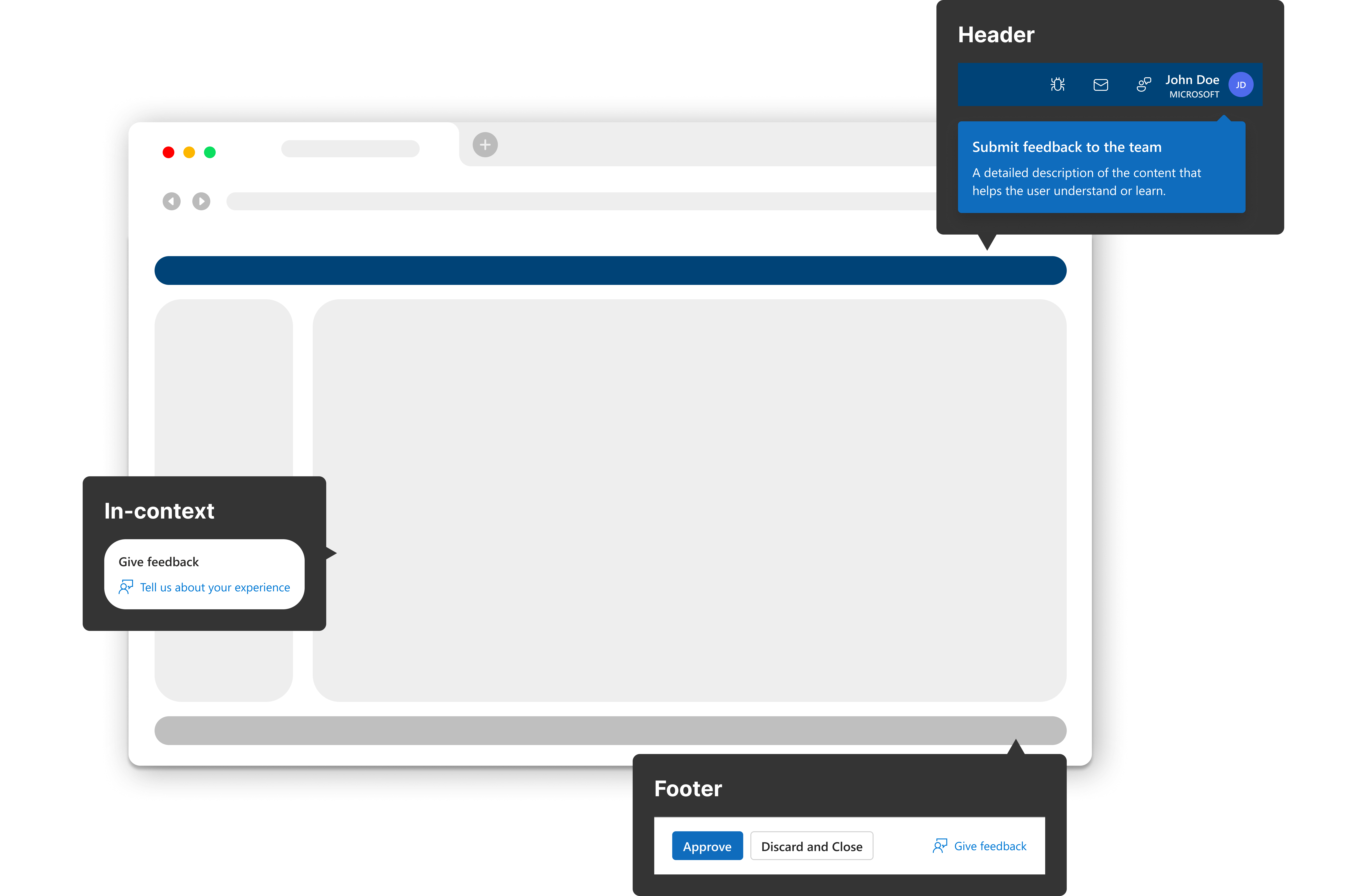
User Feedback Entry Point

Problem: As the platform grew, users had no clear way to share feedback. PMs received scattered input through Teams, email, and ad-hoc conversations, making it difficult to track issues or identify patterns.

Solution: I designed a centralized feedback entry point directly in the tool, enabling users to easily submit issues or suggestions. This helped the team collect structured input, spot recurring problems, and improve the product more effectively.

Impact: Streamlined feedback collection and empowered continuous improvement based on real user insights.

Broader Impact

  • Delivered design solutions from small UI updates to full feature improvements, improving the overall compliance experience.
  • Validated new flows with users, driving product decisions with strong success metrics.
  • Clarified user workflows and uncovered additional improvement opportunities.
  • Refined the UX process, shortening the design-to-development delivery cycle.
  • Made the product more accessible and inclusive for all users.

Learnings

Product decisions driven by user insight. Through testing and interviews, I identified user gaps that informed product direction, positioning UX as a strategic partner in decision-making, not just an execution function.

Strengthening the UX process
. By involving engineers early, I aligned design goals with technical constraints and clarified requirements through a streamlined intake and review process. This structure improved team efficiency, alignment, and product quality.

Next Steps

Driving UX Vision. North Star design to align teams around a long-term vision, uncover high-impact opportunities, and guide scalable UX decisions.

More work this way

Microsoft, Azure
Reshaping Cloud Quota Management UX
MicrosofT, Azure
Bringing AI Guidance to Cloud Workflows
Microsoft, m365
Streamlining M365 Adoption Through Better Self-Guided UX
Personal project
A Minimal Scorekeeping App
Personal project
Daily UI Challenges