A Minimal Scorekeeping App for Hwatu

Hwatu (Go-Stop) is a beloved Korean card game, yet its complex scorekeeping can frustrate new players. I created a mobile-first scorekeeper that reimagines the experience that combines intuitive interaction, cultural aesthetics, and playful visuals.

Timeline

2025

Role

Personal Project

Highlights

  • Leveraged AI to quickly explore features and screen layouts
  • Designed a clean, intuitive interface focused on clarity and ease
  • Built a reusable design system to support consistency and open doors for future expansion (e.g., mobile game or physical version)

The Challenge

The game is fun, but scoring is complex and the learning curve is high

While the gameplay itself is simple (just match cards and score points), the scoring rules can be confusing, especially for first-time players.

I wanted to remove that friction and make it easier for anyone to jump in and enjoy.

The Vision

Create an app to help players easily calculate scores after playing game matches

I set out to design a mobile app that automates scorekeeping, so players can enjoy the game without worrying about rules and math.

My goal was to make scoring feel as effortless as the gameplay, clear, fast, and frustration-free.

To move quickly and stay focused on craft, I used AI to explore and organize early features and layout structures.

Design

Simplifying complexity through thoughtful design

I focused on making the experience clear, approachable, and emotionally warm, drawing inspiration from the tactile feel of Hwatu cards.

I designed a clean, approachable interface and built a reusable mini design system to ensure consistency across the app.

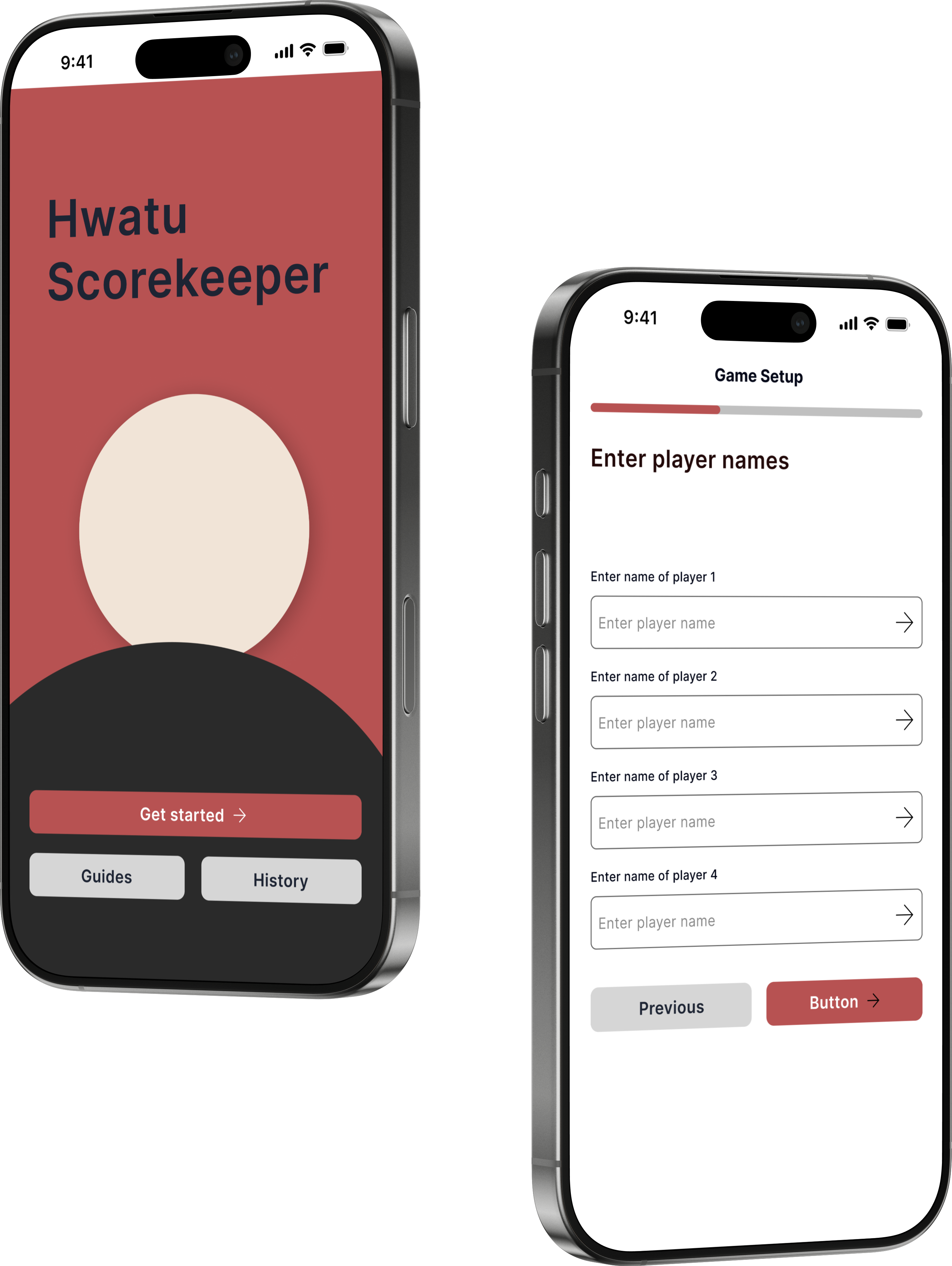
Onboarding

I crafted the onboarding experience to offer a calm and inviting entry point, featuring a subtle animated logo and quick access to key actions. The design emphasizes clear separation of core features, using a traditional red palette paired with minimalist neutrals — creating a modern, yet culturally grounded visual identity.

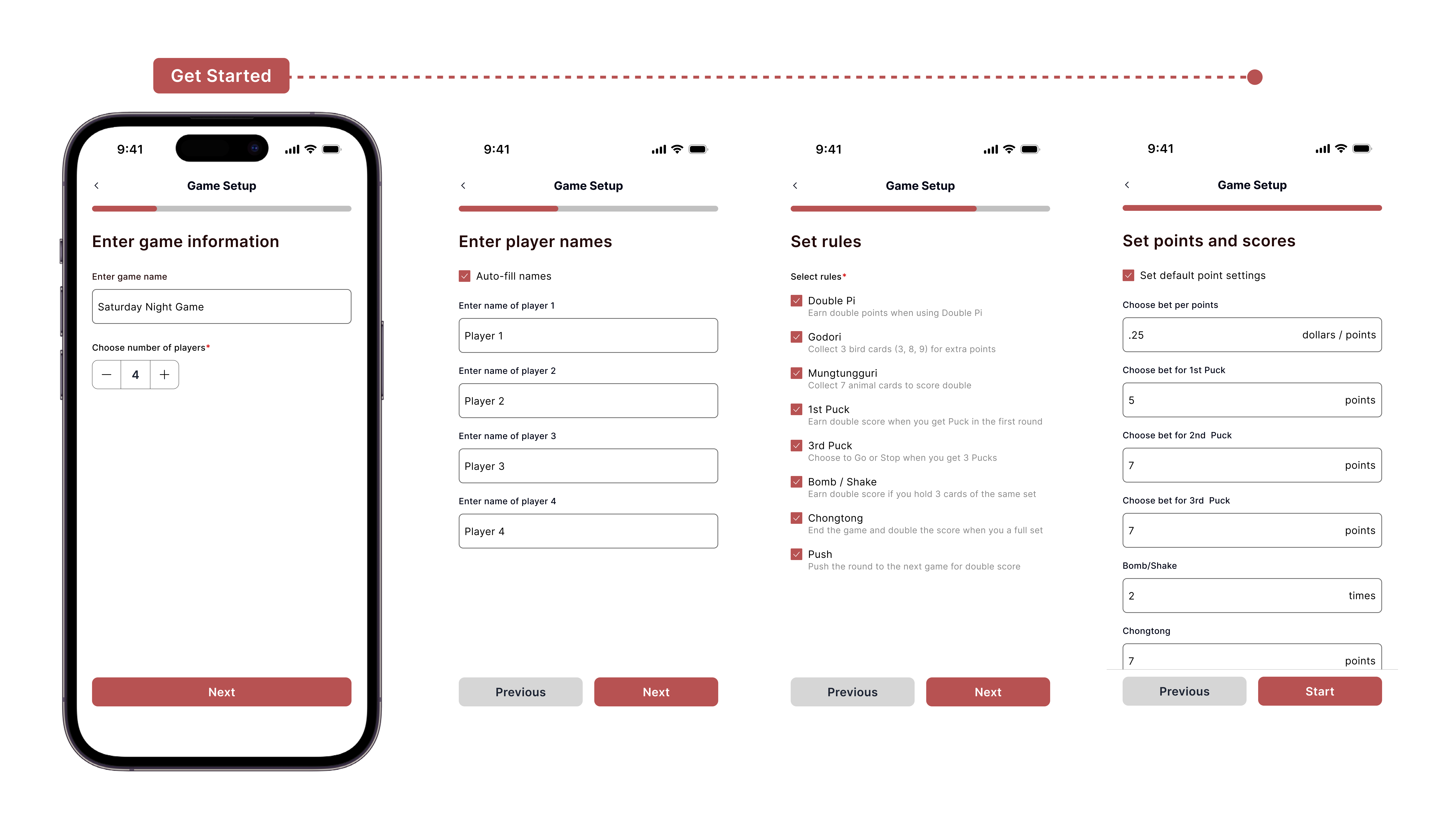
Game Setup

The multi-step setup flow was designed for clarity and ease, guiding users through player entry, rules configuration, and point customization. With a focus on customization and usability, the interface reduces friction and supports quick game starts, even in live-play environments.

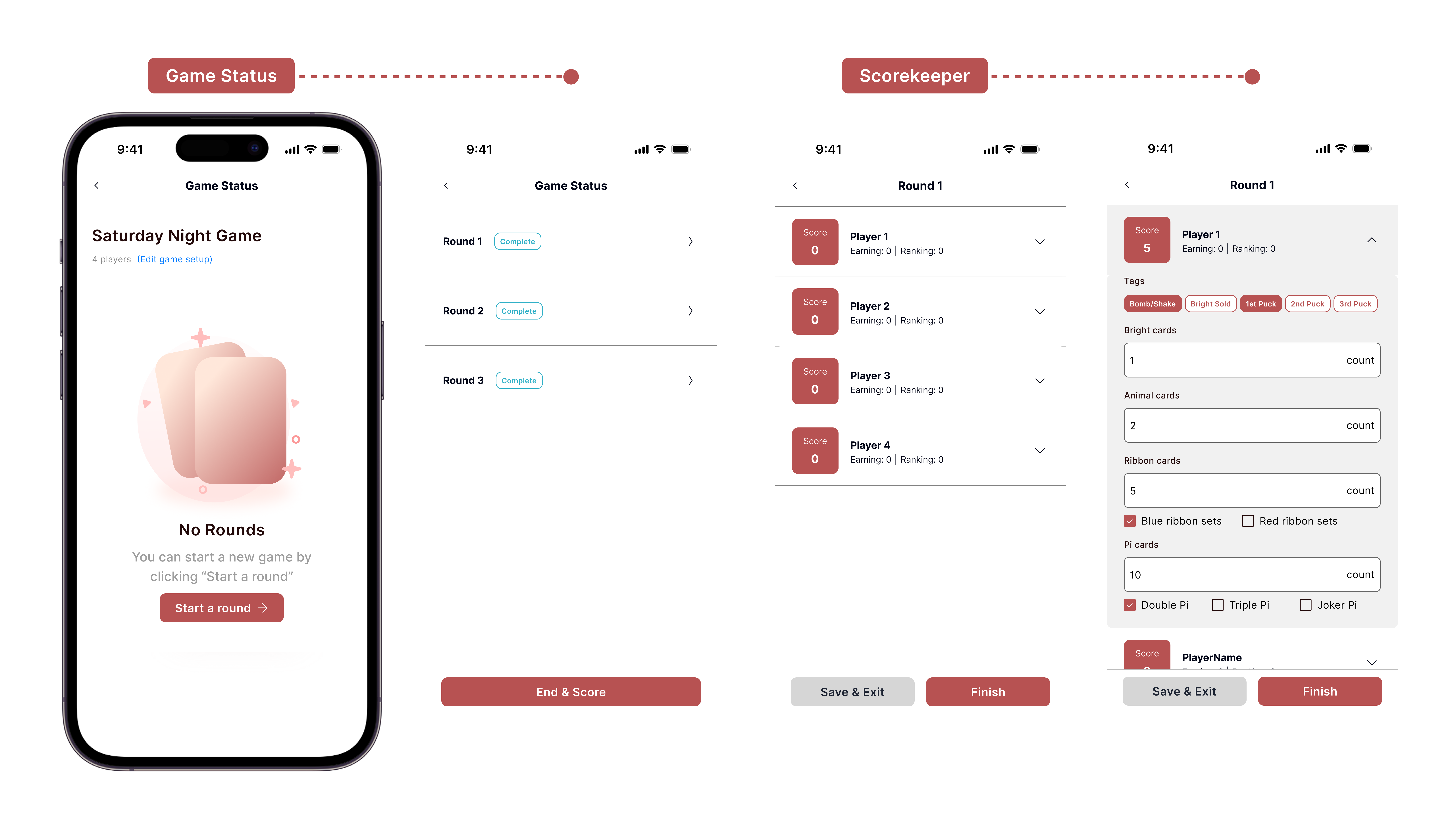
Game Status & Scorekeeper

This is how the app handles the core game loop — managing rounds, tracking scores, and providing a smooth experience for ongoing sessions and ensuring users can manage multi-round games with ease.

Design System

I'm creating structured design system composed of reusable UI components and foundational styles to ensure visual consistency and scalability.

Hwatu Scorekeeper

Designed a mobile app to help users easily track game scores, and built a design system to ensure a consistent user experience

Project Type

Personal Project

Timeline

2025

Tool

Figma

Background

The game is fun, but scoring is complex and the learning curve is high

Hwatu, also known as GoStop, is a traditional Korean card game—often compared to Korean poker. The goal is simple: match cards and score as high as possible.

While I enjoy playing the game, I’ve found that the steep learning curve and complicated scoring rules make it hard for new players to get started—especially those unfamiliar with the game.

Product Vision

Create an app to help players easily calculate scores after playing game matches

To make the game more user-friendly, I decided to design a mobile app that automates score tracking, replacing the need for manual calculations to make the game more user-friendly.

To move faster, I used AI tools to plan key features and screen layouts early on. I also created a simple, reusable design system to keep the experience consistent—and to support future ideas like a full digital version of the game.

Design

Design System

More work this way

Microsoft, Azure
Reshaping Cloud Quota Management UX
MicrosofT, Azure
Bringing AI Guidance to Cloud Workflows
Microsoft, AI
Designing for Responsible AI at Scale
Microsoft, m365
Streamlining M365 Adoption Through Better Self-Guided UX
Personal project
Daily UI Challenges