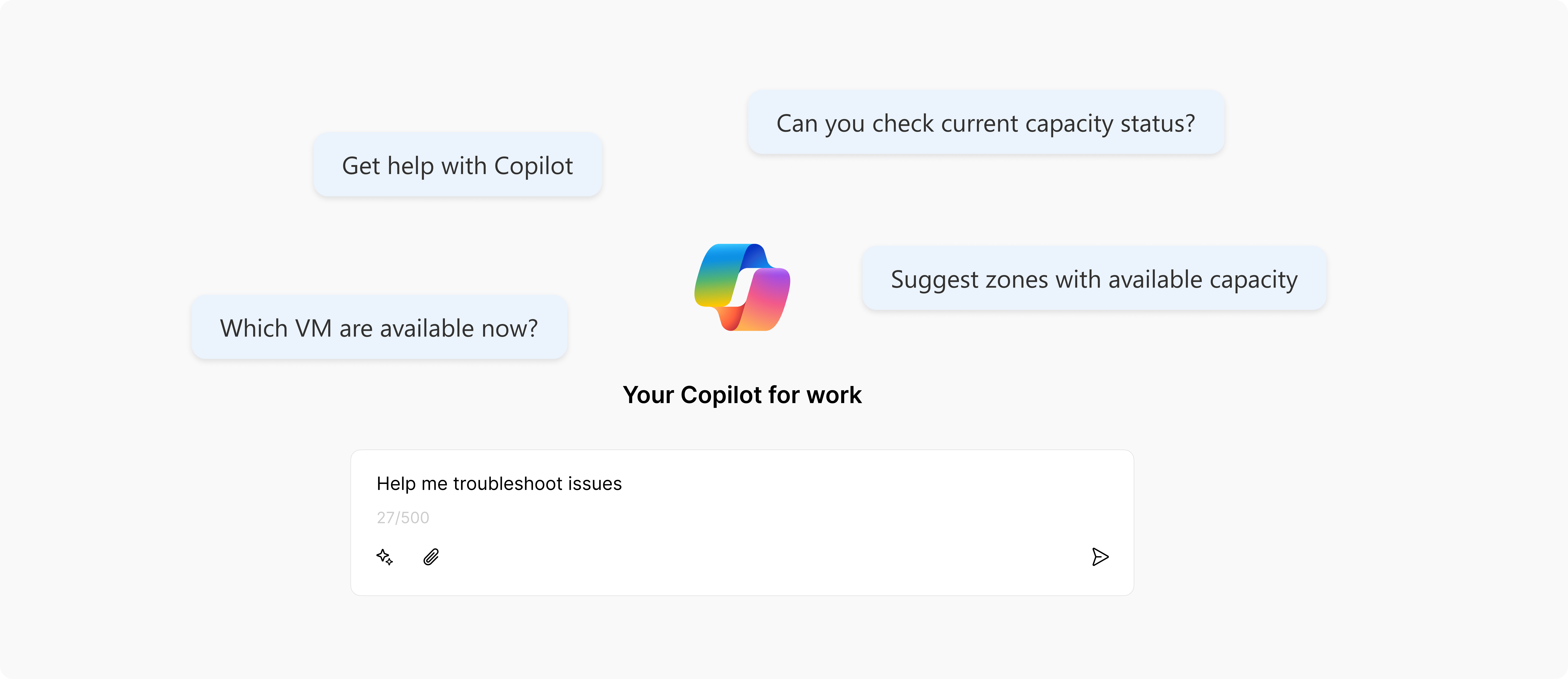
Bringing AI Agents for Troubleshooting
Overview
As part of improving Azure’s quota management experience, I led the integration of an AI Agents (Copilot) into cloud workflows to enable users to land on a root cause and a safe fix.
This project builds directly on the work outlined in the previous case study.
Year
2024 - 2025 at Microsoft
Role
UX/UI Design
Challenge
Users want to know why errors are happening and how to fix them quickly
When cloud tasks fail due to limit issues, users struggle to understand why it happened and what to do next. The current experience offers little guidance, leaving users confused, frustrated, and dependent on support.
“I need to understand why things failed and how to fix it myself”
- user interview
Opportunity
Provide real-time, in-context guidance right at the point of failure
Building on prior research, I identified a strategic opportunity to embed AI agent (Copilot) at failure points, moments when users were blocked, confused, and unsure what to do next.
Why AI?
Users need help that is:
- Immediate. No waiting on support tickets
- Actionable. Next steps, not just error messages
- Contextual. Surfaced right when and where the issue occurs
What Copilot enables:
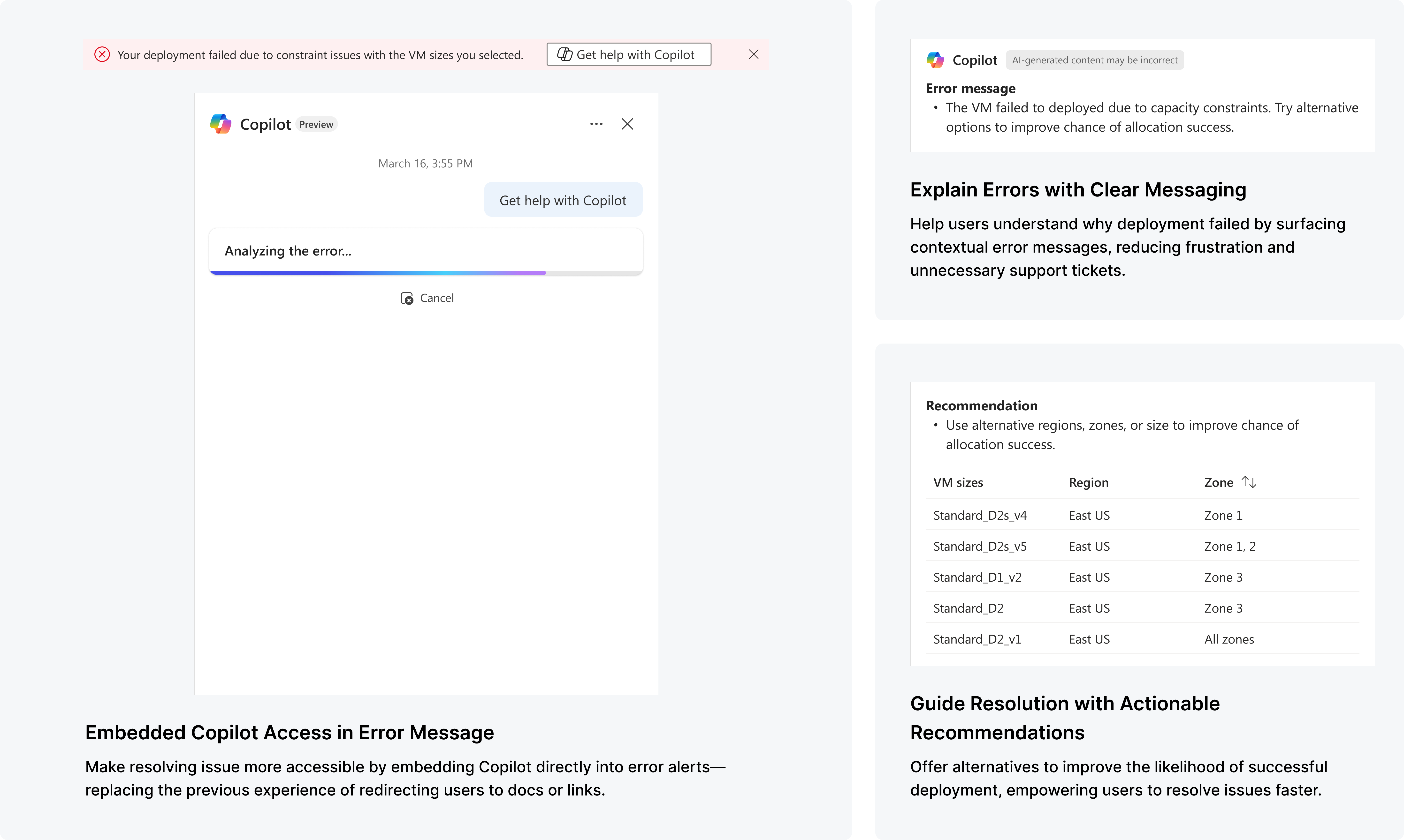
- Real-time explanations for failures
- Relevant actions like retrying with recommendation
- A guided experience, users feel supported, not stuck
Design Process
Integrating Copilot into Critical User Journeys
To provide timely, in-context guidance, I embedded Copilot at moments of highest friction where quota issues disrupted workflows the most. This made support immediate, seamless, and confidence-boosting.
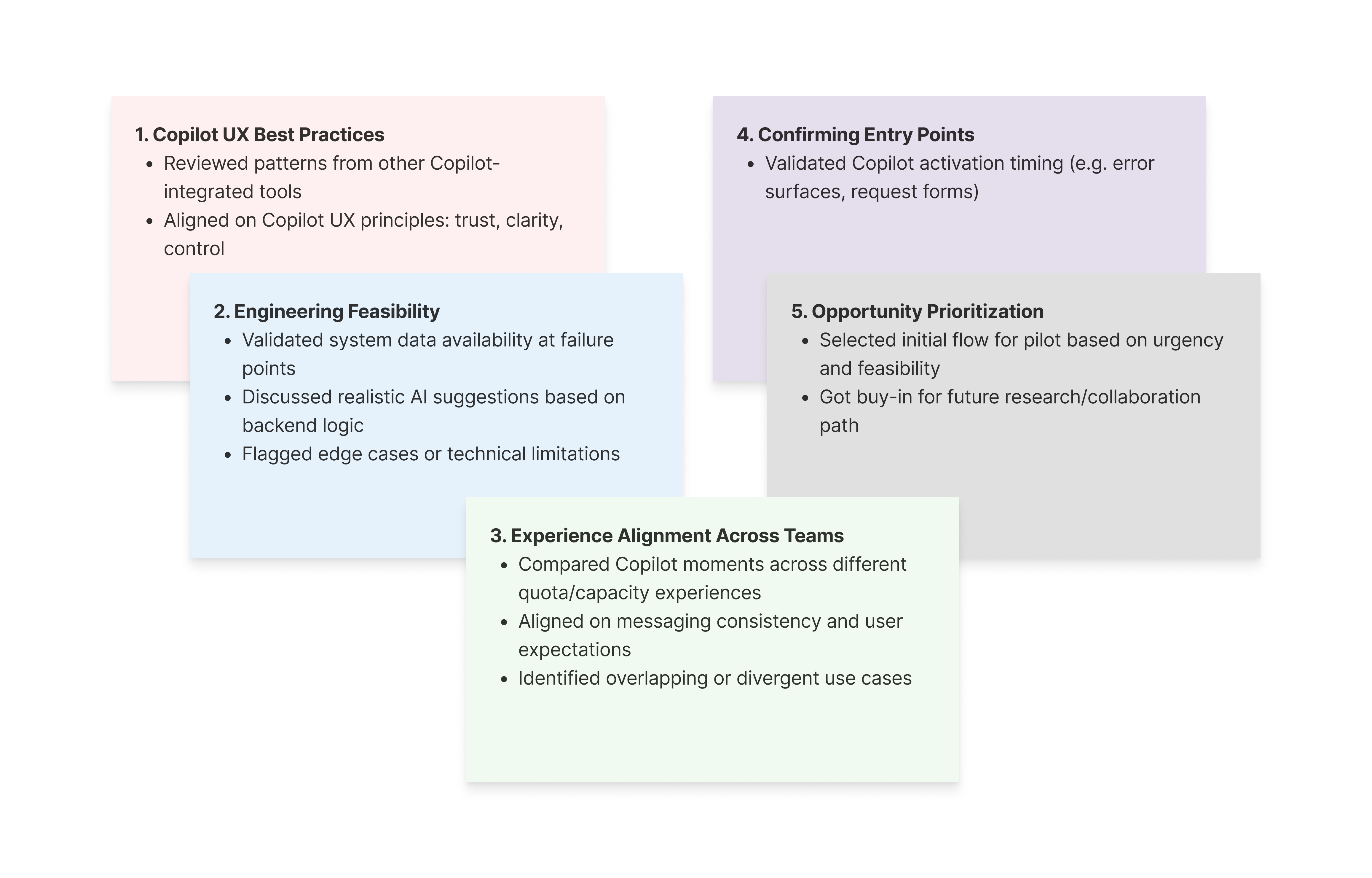
I facilitated a workshop with PMs, ENGs, and the Copilot UX team to review design, align feasibility, and validate technical constraints.
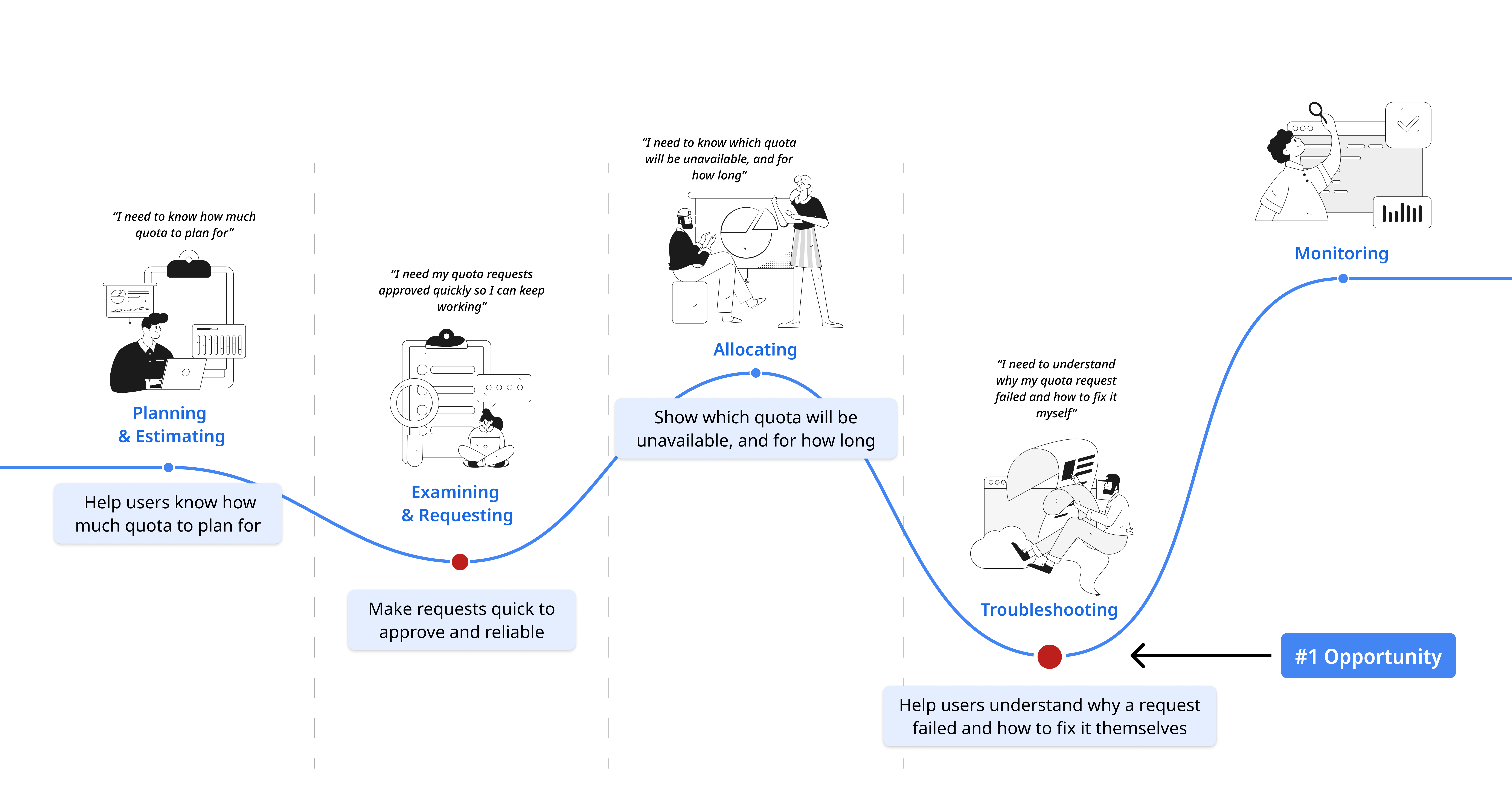
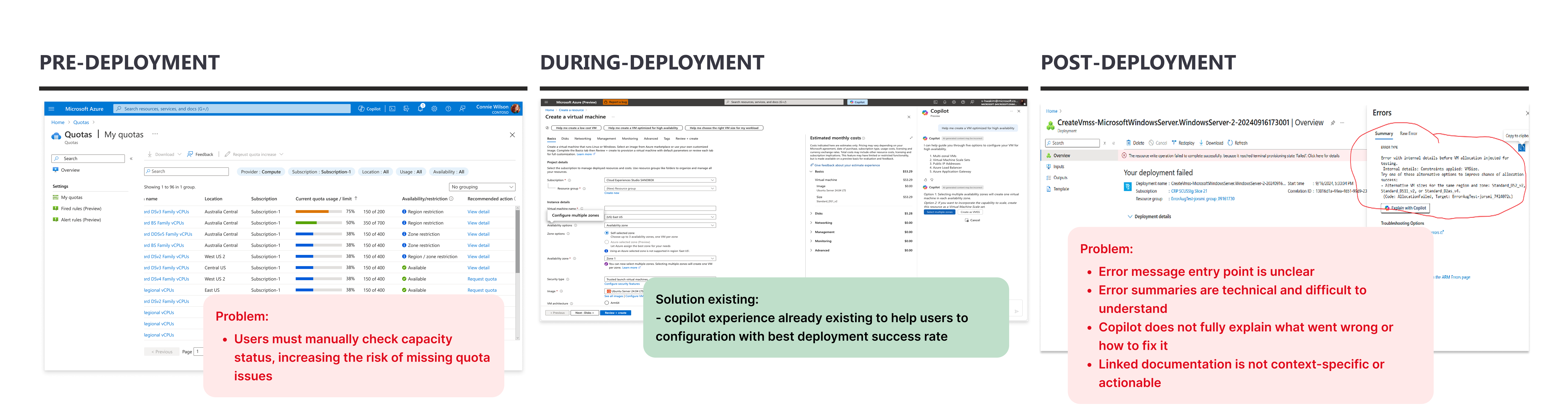
01/ Identify Friction Points
Grounded in the actual customer experience flow and Jobs-To-Be-Done framework, I mapped where quota-related issues blocking the workflow.
02/ Design Solutions
Designed end-to-end flows with clear guidance, actionable fixes, and context-specific support, embedded directly in the existing UI.

03/ Align & Prepare for Delivery
I facilitated a workshop with PMs, engineers, and the Copilot UX team to review design, align feasibility, and validate technical constraints.
Final Solutions
Quota issues still happen but now users know why, and how to fix them
With Copilot embedded at failure points, users now get clear explanations, actionable next steps, and visibility into the quota system.
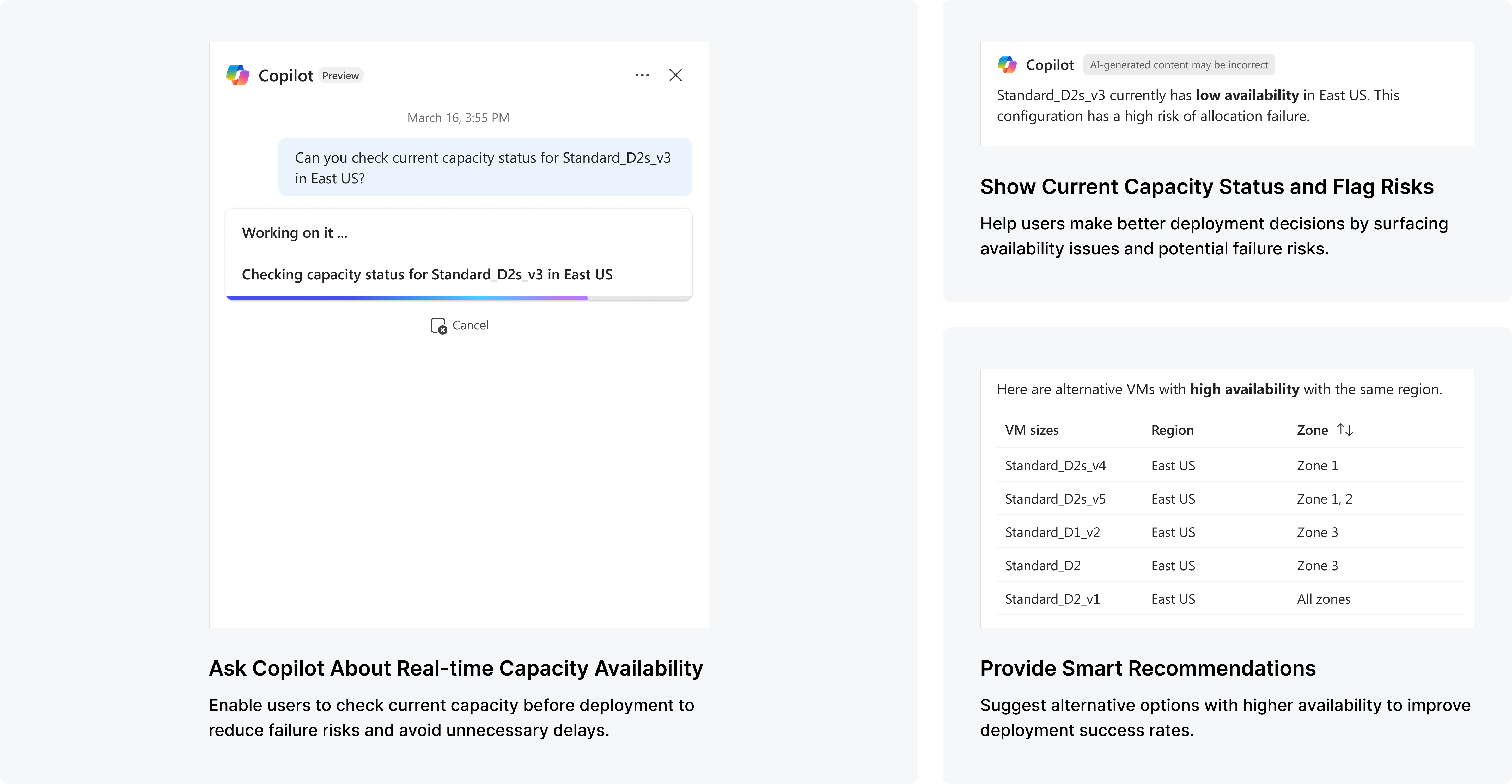
Prevent issues before they happen
Better visibility into real-time cloud limits helps users avoid failure-prone configurations and make faster, more informed decisions.
Troubleshoot quickly when cloud tasks fail
Resolve issues independently with contextual explanations, recommendations, and actionable guidance, reducing dependency on support.